Binary to Text conversion becomes easier to understand when you know how Binary to ASCII works. ASCII gives letters, numbers, spaces, and symbols numeric values, while binary represents those values using only zeros and ones inside digital systems and computer storage.
This article explains how Binary to ASCII conversion changes binary code into readable text step by step. You will see character tables, examples, conversion methods, common mistakes, ASCII limitations, and the connection between binary values, bytes, numbers, and characters.
What Is Binary to ASCII?
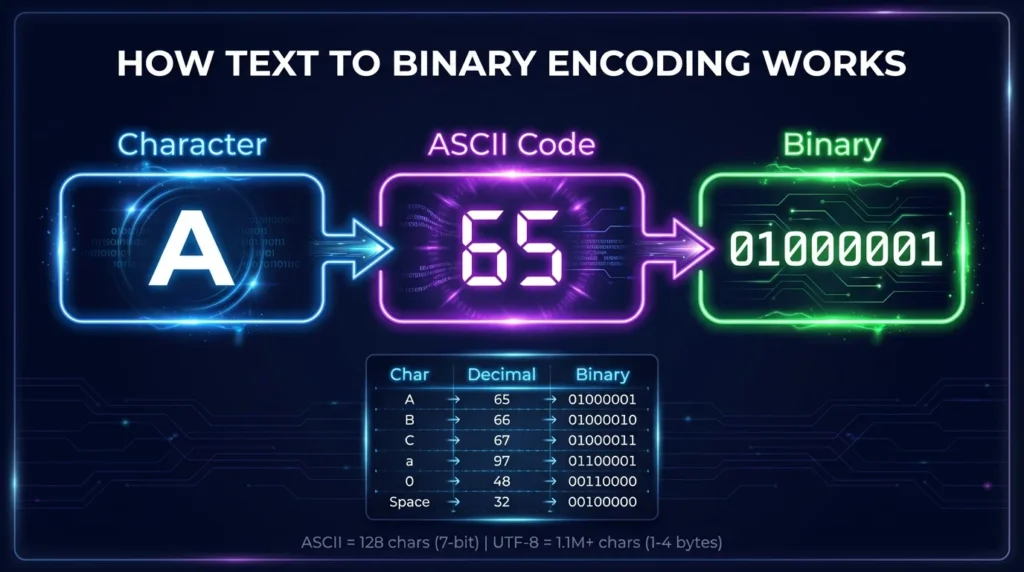
Binary to ASCII is the process of converting binary values into characters defined by the ASCII character set.
ASCII stands for:
American Standard Code for Information Interchange
It assigns numeric values to letters, numbers, punctuation marks, spaces, and control characters.
For example:
A
has ASCII decimal value:
65
The binary representation of decimal 65 is:
01000001
Therefore:
01000001 = A
This relationship makes it possible to convert binary code into readable text.
How Does Binary to ASCII Work?
Binary to ASCII conversion usually follows three stages:
Binary → Decimal → ASCII Character
First, a binary value is converted into its decimal equivalent. The decimal number is then matched with the corresponding ASCII character.
Simple Binary to ASCII Example
Consider:
01000010
The active binary values are:
64 + 2
which equals:
66
ASCII decimal 66 represents:
B
Therefore:
01000010 = B
The same process can be repeated for each binary group in a message.
How Binary to Text Uses ASCII
Binary to Text conversion commonly relies on ASCII when the input contains basic English letters, numbers, punctuation, and spaces.
For example:
01001000 01101001
contains two binary bytes.
The first byte:
01001000
equals decimal:
72
ASCII 72 represents:
H
The second byte:
01101001
equals decimal:
105
ASCII 105 represents:
i
Combined result:
Hi
How to Convert Binary to ASCII Step by Step
You can manually convert binary into ASCII using a simple process.
Step 1: Separate the Binary Into Groups
Binary text is often displayed as 8-bit groups.
For example:
01000011 01000001 01010100
Separate the values:
01000011
01000001
01010100
Each group can now be processed individually.
Step 2: Convert Each Binary Group to Decimal
An 8-bit binary value uses these place values:
| Binary Position | Decimal Value |
|---|---|
10000000 | 128 |
01000000 | 64 |
00100000 | 32 |
00010000 | 16 |
00001000 | 8 |
00000100 | 4 |
00000010 | 2 |
00000001 | 1 |
Consider:
01000011
The active values are:
64 + 2 + 1
Result:
67
Therefore:
01000011 = 67
Step 3: Match the Decimal Value With ASCII
ASCII decimal:
67
represents:
C
So:
01000011 = C
Repeat the process for the remaining values.
01000001 = A
01010100 = T
Step 4: Combine the Characters
The complete sequence:
01000011 01000001 01010100
becomes:
CAT
Binary to ASCII Example: HELLO
Consider:
01001000 01000101 01001100 01001100 01001111
Convert each byte:
| Binary | Decimal | ASCII Character |
01001000 | 72 | H |
01000101 | 69 | E |
01001100 | 76 | L |
01001100 | 76 | L |
01001111 | 79 | O |
Final result:
HELLO
This is a simple example of Binary to Text conversion using ASCII.
Binary to ASCII Example: Hello World
Consider:
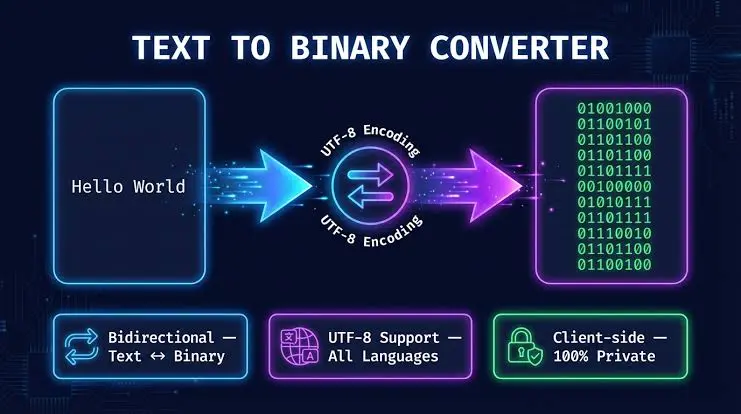
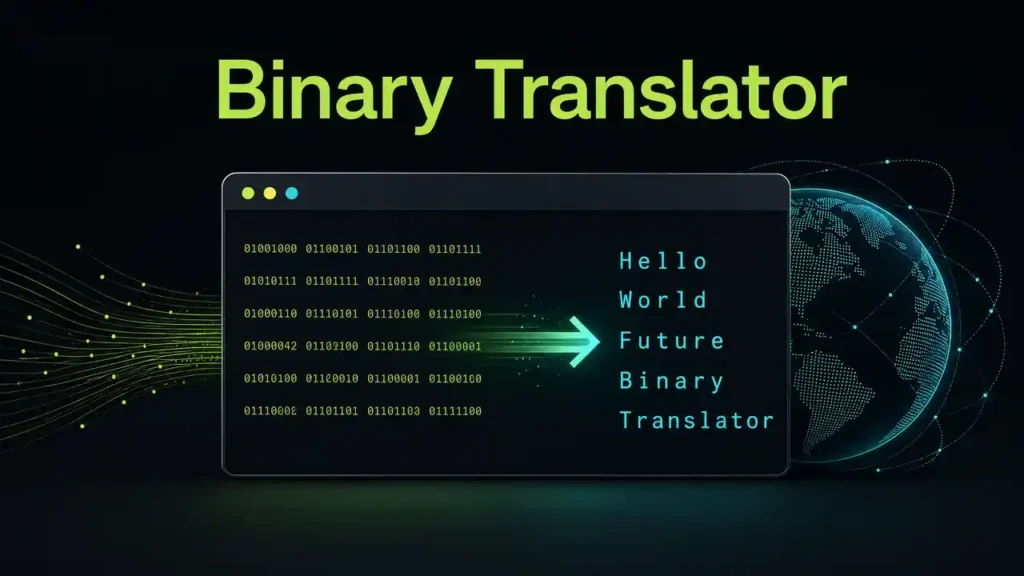
01001000 01100101 01101100 01101100 01101111 00100000 01010111 01101111 01110010 01101100 01100100
The decoded characters are:
H e l l o [space] W o r l d
Final result:
Hello World
The value:
00100000
represents an ASCII space.
Spaces are important because they separate words in readable text.
What Is an ASCII Character?
An ASCII character is a character assigned to one of the numeric values in the ASCII standard.
ASCII includes:
- uppercase letters;
- lowercase letters;
- numbers;
- punctuation;
- spaces;
- symbols;
- control characters.
Common ASCII Characters
| Character | Decimal | Binary |
| A | 65 | 01000001 |
| B | 66 | 01000010 |
| C | 67 | 01000011 |
| H | 72 | 01001000 |
| Z | 90 | 01011010 |
| a | 97 | 01100001 |
| b | 98 | 01100010 |
| h | 104 | 01101000 |
| z | 122 | 01111010 |
| 0 | 48 | 00110000 |
| 1 | 49 | 00110001 |
| 9 | 57 | 00111001 |
| Space | 32 | 00100000 |
Binary to ASCII Alphabet Chart
Binary alphabet values make it easier to understand how letters are represented.
Uppercase ASCII Letters
| Letter | Decimal | Binary |
| A | 65 | 01000001 |
| B | 66 | 01000010 |
| C | 67 | 01000011 |
| D | 68 | 01000100 |
| E | 69 | 01000101 |
| F | 70 | 01000110 |
| G | 71 | 01000111 |
| H | 72 | 01001000 |
| I | 73 | 01001001 |
| J | 74 | 01001010 |
| K | 75 | 01001011 |
| L | 76 | 01001100 |
| M | 77 | 01001101 |
| N | 78 | 01001110 |
| O | 79 | 01001111 |
| P | 80 | 01010000 |
| Q | 81 | 01010001 |
| R | 82 | 01010010 |
| S | 83 | 01010011 |
| T | 84 | 01010100 |
| U | 85 | 01010101 |
| V | 86 | 01010110 |
| W | 87 | 01010111 |
| X | 88 | 01011000 |
| Y | 89 | 01011001 |
| Z | 90 | 01011010 |
Lowercase ASCII Letters
| Letter | Decimal | Binary |
| a | 97 | 01100001 |
| b | 98 | 01100010 |
| c | 99 | 01100011 |
| d | 100 | 01100100 |
| e | 101 | 01100101 |
| f | 102 | 01100110 |
| g | 103 | 01100111 |
| h | 104 | 01101000 |
| i | 105 | 01101001 |
| j | 106 | 01101010 |
| k | 107 | 01101011 |
| l | 108 | 01101100 |
| m | 109 | 01101101 |
| n | 110 | 01101110 |
| o | 111 | 01101111 |
| p | 112 | 01110000 |
| q | 113 | 01110001 |
| r | 114 | 01110010 |
| s | 115 | 01110011 |
| t | 116 | 01110100 |
| u | 117 | 01110101 |
| v | 118 | 01110110 |
| w | 119 | 01110111 |
| x | 120 | 01111000 |
| y | 121 | 01111001 |
| z | 122 | 01111010 |
How Are Numbers Represented in ASCII?
Numbers displayed as text also have ASCII character codes.
For example:
The character:
1
has ASCII decimal value:
49
Its binary value is:
00110001
The character:
5
has ASCII decimal value:
53
Its binary value is:
00110101
Binary Numbers vs ASCII Numbers
This distinction is important.
Binary:
0101
represents numeric decimal:
5
But:
00110101
represents the ASCII text character:
5
These values may appear similar, but they serve different purposes.
ASCII Numbers 0–9 in Binary
| Character | Decimal | Binary |
| 0 | 48 | 00110000 |
| 1 | 49 | 00110001 |
| 2 | 50 | 00110010 |
| 3 | 51 | 00110011 |
| 4 | 52 | 00110100 |
| 5 | 53 | 00110101 |
| 6 | 54 | 00110110 |
| 7 | 55 | 00110111 |
| 8 | 56 | 00111000 |
| 9 | 57 | 00111001 |
How Does ASCII Represent Symbols?
ASCII also contains common punctuation marks and symbols.
Common ASCII Symbols
| Symbol | Decimal | Binary |
| Space | 32 | 00100000 |
| ! | 33 | 00100001 |
| # | 35 | 00100011 |
| $ | 36 | 00100100 |
| % | 37 | 00100101 |
| & | 38 | 00100110 |
| + | 43 | 00101011 |
| – | 45 | 00101101 |
| . | 46 | 00101110 |
| / | 47 | 00101111 |
| ? | 63 | 00111111 |
| @ | 64 | 01000000 |
These characters allow binary messages to include punctuation and readable sentence structure.
Is ASCII 7-Bit or 8-Bit?
Standard ASCII is a 7-bit character set.
It provides values from:
0
to:
127
This gives:
128 possible ASCII values
However, ASCII characters are frequently shown using eight binary digits.
Why ASCII Is Often Shown as 8 Bits
A leading zero can be added to a 7-bit ASCII value.
For example:
7-bit ASCII for A:
1000001
8-bit representation:
01000001
Both represent:
A
Using eight bits makes ASCII values easier to organize as complete bytes.
What Is a Bit?
A bit is a single binary digit.
It can contain:
0
or:
1
Eight bits commonly form one byte.
Bit Example
The binary value:
01000001
contains:
8 bits
and can represent one ASCII character.
What Is a Byte?
A byte normally contains eight bits.
For example:
01100001
is one byte.
In ASCII, this byte represents:
a
Bytes are commonly used when storing and processing digital information.
Binary to ASCII Without Spaces
Binary code may sometimes appear as one continuous sequence.
For example:
0100100001101001
If the data uses 8-bit ASCII, divide it every eight bits:
01001000 01101001
Now decode each value:
01001000 = H
01101001 = i
Result:
Hi
Why Correct Grouping Is Important
If binary data is split at the wrong position, every character after that point may decode incorrectly.
For reliable Binary to Text conversion, you should know the expected encoding and byte structure.
Can Short Binary Values Be Converted to ASCII?
Short binary numbers can be padded with leading zeros when their intended value is known.
For example:
1000001
is decimal:
65
It can be shown as:
01000001
which represents:
A
However, you should not assume that every short binary value represents text.
Example: 0110
Binary:
0110
as a number equals:
6
But ASCII character:
6
is:
00110110
Therefore:
0110
does not automatically mean the character 6.
Binary to ASCII vs Binary to Decimal
Binary to ASCII and binary to decimal are related but have different outputs.
Binary to Decimal
Binary:
01000001
becomes:
65
The result is a number.
Binary to ASCII
Binary:
01000001
becomes:
A
The numeric value is interpreted as an ASCII character.
Key Difference
Binary to decimal produces numbers.
Binary to ASCII produces characters.
Binary to ASCII vs Binary to Text
These terms are closely connected, but they are not always exactly the same.
Binary to ASCII
Binary to ASCII specifically interprets binary values using ASCII character codes.
Binary to Text
Binary to Text is a broader concept.
Text may be encoded using:
- ASCII;
- UTF-8;
- UTF-16;
- other character encodings.
If the binary data contains standard ASCII characters, Binary to ASCII and Binary to Text can produce the same result.
ASCII vs UTF-8
ASCII works well for basic English characters, but it cannot represent every modern language or symbol.
UTF-8 is a Unicode encoding that supports a much larger character set.
ASCII Compatibility With UTF-8
The standard ASCII range is preserved in UTF-8.
For example:
A
ASCII:
01000001
UTF-8:
01000001
The byte is the same.
Characters Outside ASCII
Many non-ASCII characters require multiple UTF-8 bytes.
Because of this, a simple ASCII table is suitable for basic English Binary to Text conversion but not for every Unicode character.
Why Can Binary Produce Unreadable ASCII?
Sometimes binary data converts into unexpected or invisible characters.
There are several possible reasons.
The Binary Contains Control Characters
ASCII includes control codes that are not visible letters or symbols.
The Encoding Is Not ASCII
The binary data may use UTF-8, UTF-16, or another encoding.
The Binary Groups Are Incorrect
A missing or extra bit can shift the byte boundaries.
The Binary Is Not Text
Binary can represent:
- images;
- audio;
- programs;
- compressed data;
- encrypted information;
- numbers.
Not every binary sequence is intended to become readable text.
Common Binary to ASCII Conversion Mistakes
Several common mistakes can affect your results.
Confusing ASCII Characters With Numbers
Remember:
0101
is numeric decimal 5.
But:
00110101
is ASCII character 5.
Ignoring Leading Zeros
Leading zeros help maintain clear 8-bit byte boundaries.
Removing Spaces From the Message
ASCII space is:
00100000
Ignoring it may join separate words.
Using Incorrect Byte Boundaries
One misplaced bit may affect several following characters.
Assuming ASCII Supports Every Character
ASCII contains a limited character set. Other languages and modern symbols usually require Unicode encodings.
How to Check a Binary to ASCII Result
If your result looks incorrect, review the input carefully.
Check the Binary Input
Verify that the input contains valid binary digits:
0
and:
1
Check the Byte Length
If you expect 8-bit bytes, confirm that the binary groups are properly separated.
Check the Encoding
Determine whether the source data actually uses ASCII.
Check for Control Codes
Some valid ASCII values are not printable characters.
Compare With an ASCII Chart
A Binary to Text Chart can help verify individual values manually.
Manual Binary to ASCII vs Converter
Both methods can be useful.
Manual Conversion Is Best For
- learning binary;
- understanding ASCII;
- computer science exercises;
- checking individual values;
- verifying results.
A Binary to Text Converter Is Best For
- long binary strings;
- multiple characters;
- quick results;
- reducing manual calculations;
- continuous binary sequences.
For everyday use, an automated converter is much faster.
Where Is ASCII Used?
ASCII remains an important foundation in computing.
It is commonly associated with:
- plain English text;
- programming;
- configuration files;
- communication protocols;
- command-line systems;
- data formats;
- legacy computer systems.
Modern encodings such as UTF-8 extend far beyond ASCII, but the original ASCII characters remain extremely common.
Why Is Binary to ASCII Important?
Understanding Binary to ASCII helps explain how computers turn numeric digital information into human-readable characters.
It can help you understand:
- bits and bytes;
- binary numbers;
- ASCII;
- character encoding;
- computer memory;
- programming;
- data storage;
- digital communication;
- Binary to Text conversion.
It also provides a useful foundation for understanding more advanced encodings.
Quick Binary to ASCII Formula
The easiest formula to remember is:
Binary → Decimal → ASCII → Character
Example:
01000001
↓
65
↓
ASCII 65
↓
A
For multiple bytes:
01000001 01000010 01000011
↓
65 66 67
↓
A B C
↓
ABC
Frequently Asked Questions
What Is Binary to ASCII?
Binary to ASCII is the process of converting binary values into characters defined by the ASCII character set.
How Do I Convert Binary to ASCII?
Convert the binary value into decimal and then match the decimal value with its corresponding ASCII character.
What Is 01000001 in ASCII?
01000001
equals decimal:
65
ASCII decimal 65 represents:
A
What Is 01100001 in ASCII?
01100001
equals decimal:
97
ASCII decimal 97 represents:
a
What Is Hello in Binary ASCII?
Hello is:
01001000 01100101 01101100 01101100 01101111
What Is a Space in Binary ASCII?
A standard ASCII space is:
00100000
Is ASCII 7-Bit or 8-Bit?
Standard ASCII uses seven bits. It is commonly displayed inside an 8-bit byte by adding a leading zero.
Is Binary to ASCII the Same as Binary to Text?
Binary to ASCII is one form of Binary to Text conversion. Binary to Text can also involve other encodings such as UTF-8 and UTF-16.
Can Binary ASCII Include Numbers?
Yes. ASCII characters 0 through 9 have their own binary values.
Can Binary ASCII Include Symbols?
Yes. ASCII contains spaces, punctuation, mathematical signs, and several common symbols.
Why Does My Binary to ASCII Result Look Wrong?
The input may use the wrong grouping, contain control characters, use another encoding, contain missing bits, or represent data other than text.
Conclusion
Binary to Text becomes much easier to understand when you know how Binary to ASCII conversion works. Binary values represent numbers, ASCII assigns those numbers to characters, and the resulting characters can be combined into readable letters, words, numbers, spaces, and symbols.